 WhatsApp
 +48608012047
Every customer sees their own offer
Individual pricing, catalog, quantity tiers, payment terms, and authorized purchasing users.
Wersja kontraktu:
V1· Źródło prawdy:Kowal_B2BApi/etc/webapi.xml· Odbiorcy: administratorzy sklepów, partnerzy wdrożeniowi i zespoły integrujące ERP, PIM, WMS lub system zakupowy.
Kowal B2B API udostępnia dane i procesy B2B działające w Magento 2: firmy, katalog i ceny indywidualne, szybkie zakupy, dokumenty, limit kupiecki, akceptacje, RFQ oraz kolejki integracyjne. Jest to REST API do integracji systemowych; nie zastępuje standardowych endpointów Magento dla katalogu, koszyka, checkoutu i konta klienta.
Dokument opisuje wyłącznie endpointy aktualnie wystawione przez moduł. Brak w nim obietnicy operacji, których kontrakt V1 nie udostępnia, np. tworzenia zamówienia przez REST, CRUD cenników lub edycji konfiguracji website.
baseUrl, token, websiteId, companyId (gdy dotyczy), walutę oraz dane testowe.GET /V1/kowal-b2b/websites/:websiteId/config, a następnie testy funkcjonalne na środowisku testowym.| Strona | Odpowiedzialność |
|---|---|
| Administrator sklepu | Konfiguracja B2B website, firmy i relacji firmy z website, tokenu oraz ACL; przekazanie danych testowych; decyzja o dostępie do danych. |
| Integrator | Bezpieczne przechowywanie tokenu, poprawne użycie kontekstu websiteId/companyId, walidacja danych, obsługa błędów i ponowień, nieujawnianie danych innych firm. |
| Właściciel procesu biznesowego | Uzgodnienie źródła prawdy dla cen, dokumentów, RFQ, limitów i statusów synchronizacji. |
Nie należy używać tokenu administratora w aplikacji klienckiej ani współdzielić jednego tokenu przez niezależne systemy. Każda integracja powinna mieć własny token i wyłącznie wymagane ACL.
Magento weryfikuje token Bearer oraz ACL przypisane do użytkownika administracyjnego lub integracji. Endpointy B2B wymagają jednej z poniższych grup uprawnień:
| ACL | Zakres |
|---|---|
config |
Websites i feature flags |
companies, company_save, company_users, batch |
Firmy, ich użytkownicy i import wsadowy firm |
products, prices, catalog_permissions |
Katalog, dostępność, ceny i widoczność |
import_export, quick_order, documents |
Profile importu/eksportu, listy zakupowe i dokumenty |
credit_limits, approvals, orders, quotes |
Limit, workflow akceptacji, kontekst zamówień i RFQ |
system_integrations |
Profile, mapowania i joby integracyjne |
Zakres powinien wynikać z przeznaczenia integracji. Przykład: system zakupowy zwykle potrzebuje products, prices, catalog_permissions, quick_order i quotes; ERP obsługujący dokumenty — documents oraz, jeśli jest właścicielem synchronizacji, system_integrations.
Adres bazowy ma postać https://b2b.example.com/rest/V1. Wszystkie ścieżki dalej w dokumencie są podawane od /V1; pełny adres endpointu to BASE_URL + ścieżka.
Authorization: Bearer <token>
Accept: application/json
Content-Type: application/json
API używa JSON. Nazwy w URL są camelCase (websiteId, companyId), a pola JSON odpowiadają nazwom parametrów kontraktów Magento. :companyId, :quoteId, :sku itd. to parametry ścieżki. W przykładach ? oznacza parametr opcjonalny.
websiteId jest wymagany przy operacjach zależnych od kanału sprzedaży. Musi wskazywać istniejący website z włączonym B2B. companyId wskazuje firmę, która musi mieć aktywną relację z tym website, gdy operacja działa w jej kontekście. API nie wybiera domyślnego website ani firmy.
Magento serializuje obiekt DTO pod nazwą parametru metody: większość zapisów przyjmuje {"request": {...}}; tworzenie firmy używa {"company": {...}}; batch firm — {"companies": [...]}. Endpointy z prostymi argumentami przyjmują pola bez wrappera, np. {"websiteId": 1, "currency": "PLN", "items": [...]}.
Nagłówek Idempotency-Key (maks. 128 znaków) jest obecnie obsługiwany przez POST /companies: ponowienie z tym samym kluczem zwróci wcześniej utworzoną firmę. Dla joba integracyjnego użyj pola request.idempotencyKey. Nie zakładaj automatycznej idempotencji innych endpointów zapisu; ponawiaj je dopiero po ustaleniu statusu operacji.
Odpowiedzi sukcesu są obiektami lub tablicami kontraktów Magento. Pola zwracane przez obiekty mogą być rozszerzane w kompatybilny sposób; integracja powinna ignorować nieznane pola. Błąd biznesowy może zawierać:
{
  "code": "b2b.company.not_assigned_to_website",
  "message": "B2B company is not assigned to website.",
  "website_id": 1,
  "trace_id": "request-correlation-id",
  "details": {"company_id": 10},
  "field_errors": []
}
| HTTP | Znaczenie | Reakcja integratora |
|---|---|---|
400 / 422 |
Niepoprawne dane albo walidacja domenowa | Popraw dane; nie ponawiaj bez zmiany payloadu. |
401 / 403 |
Brak lub niewystarczający token/ACL | Nie ponawiaj; zgłoś administratorowi zakres tokenu. |
404 |
Zasób lub relacja w danym kontekście nie istnieje | Zweryfikuj identyfikatory i kontekst website. |
409 |
Konflikt statusu lub duplikat | Odczytaj aktualny stan przed decyzją o ponowieniu. |
5xx / timeout |
Błąd techniczny | Zastosuj ograniczone retry z backoffem i zachowaj trace_id. |
Nie loguj tokenów, pełnych danych osobowych ani sekretów konfiguracji. Zgłoszenie do zespołu sklepu powinno zawierać czas, metodę, ścieżkę bez sekretów, status HTTP, trace_id oraz zanonimizowany payload.
Poniższe schematy są wspólne dla endpointów referencyjnych. Pole bez ? jest wymagane przez kontrakt; ? oznacza wartość opcjonalną. Pola metadata, config, configuration i payload są obiektami JSON.
| DTO / wrapper | Pola |
|---|---|
company |
websiteId, name, taxId, externalId?, status?, salesRepresentativeId?, customerGroupId?, websiteActive? |
companyUser |
websiteId, roleId, active |
request — RFQ |
websiteId, companyId, customerId?, externalId?, title, currency, validUntil?, customerNote?, salesNote?, metadata? |
request — pozycja RFQ |
quoteId, sku, productId?, name?, qty, requestedPrice?, offeredPrice?, comment?, metadata? |
request — decyzja RFQ |
customerId?, adminUserId?, message? |
request — komentarz RFQ |
quoteId, customerId?, adminUserId?, authorType, message, visibleForCustomer |
request — dokument |
websiteId, companyId, orderId?, orderIncrementId?, invoiceId?, invoiceIncrementId?, creditmemoId?, creditmemoIncrementId?, externalId?, documentNumber, documentType, status, issueDate?, dueDate?, grandTotal?, currency?, metadata? |
request — plik dokumentu |
documentId, fileName, filePath, mimeType, fileSize, checksum?, primary |
request — limit |
websiteId, companyId, termsId?, creditLimit, currency, active, status, metadata? |
request — ekspozycja limitu |
websiteId, companyId, sourceType, sourceId, sourceIncrementId?, amount, currency, dueDate?, metadata? |
request — warunki płatności |
websiteId, code, name, daysDue, active, description? |
request — reguła akceptacji |
websiteId, companyId, name, thresholdAmount, currency?, priority, active, metadata? |
request — akceptujący |
ruleId, customerId, sortOrder, active |
request — decyzja akceptacji |
approverCustomerId?, comment? |
request — wniosek akceptacji |
websiteId, companyId, orderId?, orderIncrementId?, requesterCustomerId?, grandTotal, currency, comment?, metadata? |
request — profil import/export |
websiteId, code, name, direction, entityType, format, behavior, active, configuration? |
request — profil integracji |
websiteId, code, name, systemType, adapterCode, direction, active, maxAttempts, config? |
request — mapowanie |
websiteId, systemType, entityType, localId, externalId, metadata? |
request — job integracyjny |
profileId, direction?, entityType, operation, idempotencyKey?, maxAttempts?, payload?, scheduledAt? |
W tabelach ACL oznacza minimalny zasób uprawnienia Magento. Wynik określa rodzaj odpowiedzi sukcesu.
| Metoda i endpoint | ACL | Wejście | Wynik i zastosowanie |
|---|---|---|---|
GET /V1/kowal-b2b/websites |
config |
— | Tablica website (websiteId, kod, nazwa, flaga B2B). Pobierz przed konfiguracją integracji. |
GET /V1/kowal-b2b/websites/:websiteId/config |
config |
path: websiteId |
Konfiguracja B2B website (m.in. enabled/debug/retencja logów). Wykonaj jako test dostępu. |
GET /V1/kowal-b2b/websites/:websiteId/features |
config |
path: websiteId |
Feature flags aktywne dla website; użyj do warunkowego włączania funkcji klienta. |
| Metoda i endpoint | ACL | Wejście | Wynik i zastosowanie |
|---|---|---|---|
GET /companies?websiteId= |
companies |
query: websiteId |
Tablica firm przypisanych do website. |
POST /companies |
company_save |
body: company |
Tworzy firmę i relację z website; użyj Idempotency-Key przy ponowieniach. Zwraca firmę. |
POST /companies/batch |
batch |
body: companies — tablica company |
Tworzy wiele firm i zwraca wynik per element, w tym błędy. |
GET /companies/:companyId?websiteId= |
companies |
path: companyId; query: websiteId |
Firma zweryfikowana w kontekście website. |
PUT /companies/:companyId |
company_save |
path: companyId; body: company |
Aktualizuje dane i relację firmy dla company.websiteId. |
POST /companies/:companyId/activate?websiteId= |
company_save |
path: companyId; query: websiteId |
Aktywuje firmę w wskazanym website i zwraca firmę. |
POST /companies/:companyId/block?websiteId= |
company_save |
path: companyId; query: websiteId |
Blokuje firmę w wskazanym website i zwraca firmę. |
GET /companies/:companyId/users?websiteId= |
company_users |
path: companyId; query: websiteId |
Tablica przypisań klientów do firmy. |
PUT /companies/:companyId/users/:customerId |
company_users |
path: companyId, customerId; body: companyUser |
Nadaje/aktualizuje rolę i aktywność klienta w firmie; zwraca przypisanie. |
| Metoda i endpoint | ACL | Wejście | Wynik i zastosowanie |
|---|---|---|---|
GET /products?websiteId= |
products |
query: websiteId |
Tablica podstawowych produktów Magento dla website. |
GET /products/:sku?websiteId= |
products |
path: zakodowane sku; query: websiteId |
Produkt (id, sku, nazwa, typ, status, websites). |
GET /products/:sku/availability?websiteId= |
products |
path: sku; query: websiteId |
Dostępność i ilość sprzedażowa MSI dla SKU. |
GET /products/:sku/b2b-status?websiteId= |
products |
path: sku; query: websiteId |
Status B2B: przypisanie do website, tłumaczenia i dane stock. |
GET /reports/products/missing-translations?websiteId= |
products |
query: websiteId |
Raport SKU bez wymaganych tłumaczeń, z reason/details. |
GET /reports/products/missing-stock?websiteId= |
products |
query: websiteId |
Raport SKU bez wymaganych danych stock. |
GET /companies/:companyId/products/:sku/price?websiteId=¤cy=&qty= |
prices |
path: companyId, sku; query: websiteId, currency, opcj. qty (domyślnie 1) |
Wyjaśnienie ceny właściwej dla firmy, waluty i ilości; odczytuj przed zakupem. |
GET /companies/:companyId/products/:sku/visibility?websiteId= |
catalog_permissions |
path: companyId, sku; query: websiteId |
Wynik widoczności/zakupu SKU dla firmy. |
GET /companies/:companyId/catalog-visibility?websiteId= |
catalog_permissions |
path: companyId; query: websiteId |
Tablica pozycji indeksu widocznego katalogu firmy. |
POST /companies/:companyId/catalog-visibility/reindex?websiteId= |
catalog_permissions |
path: companyId; query: websiteId |
Przebudowuje indeks i zwraca liczbę zaindeksowanych pozycji. Operacja administracyjna. |
| Metoda i endpoint | ACL | Wejście | Wynik i zastosowanie |
|---|---|---|---|
GET /import-export/profiles?websiteId= |
import_export |
query: websiteId |
Tablica profili importu/eksportu website. |
POST /import-export/profiles |
import_export |
body: request — profil import/export |
Zapisuje profil i zwraca jego dane. |
POST /import-export/import/:profileId?sourceFile=&dryRun= |
import_export |
path: profileId; query: sourceFile, opcj. dryRun=false |
Uruchamia import pliku wskazanego po stronie środowiska Magento; zwraca job. Nie przesyła multipart. |
POST /import-export/export/:profileId?resultFile= |
import_export |
path: profileId; opcj. query: resultFile |
Tworzy job eksportu, opcjonalnie z docelową ścieżką pliku. |
GET /import-export/jobs?websiteId= |
import_export |
query: websiteId |
Tablica jobów import/export dla website. |
GET /import-export/jobs/:jobId |
import_export |
path: jobId |
Stan, wynik i dane pojedynczego joba. |
GET /import-export/jobs/:jobId/logs |
import_export |
path: jobId |
Logi diagnostyczne joba. |
| Metoda i endpoint | ACL | Wejście | Wynik i zastosowanie |
|---|---|---|---|
POST /companies/:companyId/quick-order/validate |
quick_order |
path: companyId; body: websiteId, currency, items (sku, qty) |
Waliduje wiele SKU w kontekście firmy: dostępność, widoczność i cenę; zwraca zbiorczy wynik. |
GET /companies/:companyId/shopping-lists?websiteId= |
quick_order |
path: companyId; query: websiteId |
Tablica list zakupowych firmy. |
POST /companies/:companyId/shopping-lists |
quick_order |
path: companyId; body: websiteId, name, opcj. customerId, isDefault=false |
Tworzy listę zakupową i zwraca ją. |
GET /shopping-lists/:listId/items |
quick_order |
path: listId |
Tablica pozycji wskazanej listy. |
POST /shopping-lists/:listId/items |
quick_order |
path: listId; body: currency, items (sku, qty) |
Dodaje pozycje do listy i zwraca zapisane pozycje. |
| Metoda i endpoint | ACL | Wejście | Wynik i zastosowanie |
|---|---|---|---|
GET /companies/:companyId/documents?websiteId=&documentType= |
documents |
path: companyId; query: websiteId, opcj. documentType |
Dokumenty firmy, opcjonalnie filtrowane typem. |
GET /documents/:documentId?companyId=&websiteId= |
documents |
path: documentId; query: companyId, websiteId |
Szczegóły dokumentu po sprawdzeniu przynależności firmy. |
POST /documents |
documents |
body: request — dokument |
Tworzy lub zapisuje metadane dokumentu i zwraca dokument. |
POST /documents/files |
documents |
body: request — plik dokumentu |
Rejestruje plik istniejący w storage Magento (nazwa, ścieżka, MIME, rozmiar), nie wysyła binariów. |
GET /documents/:documentId/files?companyId=&websiteId= |
documents |
path: documentId; query: companyId, websiteId |
Tablica metadanych plików dokumentu. |
GET /documents/:documentId/sync-logs |
documents |
path: documentId |
Logi synchronizacji dokumentu; przeznaczone dla integracji administracyjnej. |
| Metoda i endpoint | ACL | Wejście | Wynik i zastosowanie |
|---|---|---|---|
GET /companies/:companyId/credit/status?websiteId=¤cy= |
credit_limits |
path: companyId; query: websiteId, currency |
Status limitu, wykorzystanie i dostępna kwota firmy. |
POST /credit-limits |
credit_limits |
body: request — limit |
Tworzy/aktualizuje limit firmy i zwraca limit. |
POST /credit/exposures |
credit_limits |
body: request — ekspozycja |
Rezerwuje ekspozycję limitu dla źródła (np. zamówienia) i zwraca ją. |
POST /credit/exposures/:exposureId/release |
credit_limits |
path: exposureId; opcj. body: message |
Zwalnia ekspozycję; zwraca jej stan. |
GET /payment-terms?websiteId= |
credit_limits |
query: websiteId |
Tablica aktywnych/znanych warunków płatności website. |
POST /payment-terms |
credit_limits |
body: request — warunki płatności |
Zapisuje warunki płatności i zwraca je. |
| Metoda i endpoint | ACL | Wejście | Wynik i zastosowanie |
|---|---|---|---|
GET /companies/:companyId/approval/rules?websiteId=¤cy= |
approvals |
path: companyId; query: websiteId, opcj. currency |
Reguły akceptacji firmy dla kanału/waluty. |
POST /approval/rules |
approvals |
body: request — reguła |
Tworzy/aktualizuje regułę progową i zwraca ją. |
GET /approval/rules/:ruleId/approvers |
approvals |
path: ruleId |
Tablica przypisanych akceptujących, w kolejności sortOrder. |
POST /approval/approvers |
approvals |
body: request — akceptujący |
Zapisuje przypisanie klienta jako akceptującego. |
GET /companies/:companyId/approval/required?websiteId=&grandTotal=¤cy= |
approvals |
path: companyId; query: websiteId, grandTotal, currency |
Boolean: czy kwota wymaga akceptacji. |
POST /approval/requests |
approvals |
body: request — wniosek akceptacji |
Tworzy request dla zamówienia i zwraca go. |
GET /companies/:companyId/approval/requests?websiteId=&status= |
approvals |
path: companyId; query: websiteId, opcj. status |
Tablica requestów akceptacji firmy. |
POST /approval/requests/:requestId/approve |
approvals |
path: requestId; body: request — decyzja |
Zatwierdza request; zwraca jego aktualny stan. |
POST /approval/requests/:requestId/reject |
approvals |
path: requestId; body: request — decyzja |
Odrzuca request; zwraca jego aktualny stan. |
POST /approval/requests/:requestId/cancel |
approvals |
path: requestId; body: request — decyzja |
Anuluje request; zwraca jego aktualny stan. |
GET /approval/requests/:requestId/decisions |
approvals |
path: requestId |
Historia decyzji dla requestu. |
| Metoda i endpoint | ACL | Wejście | Wynik i zastosowanie |
|---|---|---|---|
GET /orders/:orderId/b2b-context |
orders |
path: orderId |
Kontekst B2B pojedynczego natywnego zamówienia Magento (np. firma, status akceptacji, limit, eksport). |
GET /companies/:companyId/orders/b2b-context?websiteId=&approvalStatus= |
orders |
path: companyId; query: websiteId, opcj. approvalStatus |
Tablica kontekstów zamówień firmy, opcjonalnie filtrowana statusem akceptacji. |
| Metoda i endpoint | ACL | Wejście | Wynik i zastosowanie |
|---|---|---|---|
GET /companies/:companyId/quotes?websiteId=&status= |
quotes |
path: companyId; query: websiteId, opcj. status |
RFQ i oferty firmy, opcjonalnie według statusu. |
POST /quotes |
quotes |
body: request — RFQ |
Tworzy robocze RFQ i zwraca je. Dodaj pozycje osobnym endpointem. |
GET /quotes/:quoteId |
quotes |
path: quoteId |
Szczegóły RFQ/oferty. |
GET /quotes/:quoteId/items |
quotes |
path: quoteId |
Tablica pozycji RFQ. |
POST /quotes/items |
quotes |
body: request — pozycja RFQ |
Dodaje SKU i ilość, opcjonalną cenę żądaną/ofertową oraz komentarz. |
GET /quotes/:quoteId/comments |
quotes |
path: quoteId |
Komentarze RFQ. Klient widzi tylko komentarze oznaczone jako widoczne. |
POST /quotes/comments |
quotes |
body: request — komentarz RFQ |
Dodaje wiadomość; authorType i visibleForCustomer określają autora i widoczność. |
GET /quotes/:quoteId/history |
quotes |
path: quoteId |
Historia zmian statusu i zdarzeń RFQ. |
POST /quotes/:quoteId/submit |
quotes |
path: quoteId; body: request — decyzja RFQ |
Przekazuje robocze RFQ do wyceny. |
POST /quotes/:quoteId/make-offer |
quotes |
path: quoteId; body: request — decyzja RFQ |
Handlowiec tworzy/przekazuje ofertę; przed wywołaniem ustal ceny pozycji. |
POST /quotes/:quoteId/accept |
quotes |
path: quoteId; body: request — decyzja RFQ |
Akceptuje aktualną ofertę. Nie tworzy w tym kontrakcie zamówienia REST. |
POST /quotes/:quoteId/reject |
quotes |
path: quoteId; body: request — decyzja RFQ |
Odrzuca ofertę/RFQ. |
POST /quotes/:quoteId/cancel |
quotes |
path: quoteId; body: request — decyzja RFQ |
Anuluje RFQ, jeśli pozwala na to bieżący status. |
| Metoda i endpoint | ACL | Wejście | Wynik i zastosowanie |
|---|---|---|---|
GET /integrations/profiles?websiteId=&systemType= |
system_integrations |
query: websiteId, opcj. systemType |
Profile integracji dla website. |
POST /integrations/profiles |
system_integrations |
body: request — profil integracji |
Zapisuje profil ERP/PIM/WMS itp. i zwraca go. |
POST /integrations/mappings |
system_integrations |
body: request — mapowanie |
Zapisuje parę lokalny ID ↔ zewnętrzny ID. |
GET /integrations/mappings/local?websiteId=&systemType=&entityType=&localId= |
system_integrations |
query: wszystkie parametry wymagane | Odszukuje mapowanie po identyfikatorze Magento. |
GET /integrations/mappings/external?websiteId=&systemType=&entityType=&externalId= |
system_integrations |
query: wszystkie parametry wymagane | Odszukuje mapowanie po identyfikatorze systemu zewnętrznego. |
POST /integrations/jobs |
system_integrations |
body: request — job |
Publikuje job do wykonania; idempotencyKey identyfikuje operację biznesową. |
GET /integrations/jobs?websiteId=&status= |
system_integrations |
query: websiteId, opcj. status |
Tablica jobów integracyjnych. |
GET /integrations/jobs/:jobId |
system_integrations |
path: jobId |
Stan i szczegóły pojedynczego joba. |
POST /integrations/jobs/:jobId/process |
system_integrations |
path: jobId |
Przetwarza job i zwraca jego aktualny stan. |
POST /integrations/jobs/:jobId/retry |
system_integrations |
path: jobId |
Ponawia job po błędzie, zgodnie z jego limitem prób. |
GET /integrations/jobs/:jobId/logs |
system_integrations |
path: jobId |
Logi wykonania joba. |
GET /integrations/jobs/:jobId/errors |
system_integrations |
path: jobId |
Błędy domenowe/techniczne joba. |
export BASE_URL='https://b2b.example.com/rest/V1'
export TOKEN='token-przekazany-przez-administratora'
export WEBSITE_ID=1 COMPANY_ID=10 SKU='B2B-SKU-001' CURRENCY='PLN'
# Test dostępu i konfiguracji kanału
curl -sS "$BASE_URL/kowal-b2b/websites/$WEBSITE_ID/config" \
-H "Authorization: Bearer $TOKEN" -H 'Accept: application/json'
# Cena kontraktowa firmy dla konkretnej ilości
curl -sS "$BASE_URL/kowal-b2b/companies/$COMPANY_ID/products/$SKU/price?websiteId=$WEBSITE_ID¤cy=$CURRENCY&qty=5" \
-H "Authorization: Bearer $TOKEN" -H 'Accept: application/json'
# Walidacja koszyka po SKU
curl -sS -X POST "$BASE_URL/kowal-b2b/companies/$COMPANY_ID/quick-order/validate" \
-H "Authorization: Bearer $TOKEN" -H 'Content-Type: application/json' \
--data '{"websiteId":1,"currency":"PLN","items":[{"sku":"B2B-SKU-001","qty":5}]}'
# Utworzenie RFQ
curl -sS -X POST "$BASE_URL/kowal-b2b/quotes" \
-H "Authorization: Bearer $TOKEN" -H 'Content-Type: application/json' \
--data '{"request":{"websiteId":1,"companyId":10,"customerId":25,"title":"Dostawa kwartalna","currency":"PLN","externalId":"ERP-RFQ-2026-001"}}'
websiteId, companyId, walutę.price z właściwym qty.submit, jeśli zakup wymaga oferty.V1 nie wystawia endpointu tworzenia order.documentType.credit_limits może nim zarządzać.idempotencyKey i zachowaj jobId.retry wywołuj dopiero po analizie błędu i usunięciu jego przyczyny.401, 403, 404, walidację 422, konflikt 409 i timeouty.websiteId, a dane firmy używają prawidłowego companyId.Idempotency-Key; joby integracyjne mają stabilny idempotencyKey w body.trace_id.Kontrakt jest wersjonowany przez /V1. Rozszerzenie odpowiedzi o nowe pola jest kompatybilne; integrator powinien tolerować pola nieznane. Zmiana usuwająca pole, znaczenie pola lub endpoint wymaga nowej wersji API. W razie rozbieżności między dokumentem a działającą instalacją wiążący jest aktywny kontrakt webapi.xml danej wersji modułu.
Magento 2 · sales for businesses
Give every business customer their own pricing, catalog, purchasing rules, and documents. Kowal B2B Suite organizes the entire process — from company registration, through offer and order, to settlement and ERP data exchange.

Why Kowal B2B Suite was created
Business customers buy differently than consumers: they return for the same products, negotiate prices, work in teams, and expect documents and settlements aligned with the contract. The Suite lets you handle these differences without building a separate platform.
Individual pricing, catalog, quantity tiers, payment terms, and authorized purchasing users.
The customer orders by SKU, uses shopping lists, or goes through quote and approval.
Documents, limits, and business data can work smoothly with ERP, warehouse, and accounting.
Functional scope
From the first contact with a company to subsequent repeat orders. You choose the areas your sales model needs, and everything works consistently in Magento.
Company registration and approval, multiple users, roles, addresses, contacts, and a clear division of permissions.
Company price lists, contract pricing, quantity tiers, and prices tailored to currency and order size.
Products and categories visible only where they should be — without accidental exposure of the offer.
Search by SKU, add multiple items, import a list, and save shopping lists for regular customers.
Invoices, corrections, goods issue documents, order confirmations, and PDFs securely available in the customer portal.
Quote requests, agreed pricing, customer communication, PDF, validity date, and order creation from an approved quote.
Payment terms, credit limits, and ongoing control of credit usage before placing the order.
Purchase thresholds, approvers, decisions, and process history for companies that require approvals.
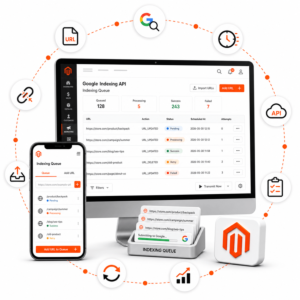
CSV import and export, integrations with ERP, PIM, WMS, and CRM, plus monitoring of data exchange and errors.
Tailored to your sales model
Kowal B2B Suite extends Magento with business processes instead of replacing your entire e-commerce platform. You can launch B2B alongside retail sales and implement additional areas at your organization’s pace.
One platform, different experiences
Separate sales channels let you run retail and trade offers side by side while keeping order in pricing, catalog, and access.
From first login to fulfillment
Each stage has an owner and clear rules. The customer gains convenience, and your team gets control and a complete history of actions.
Integrations without losing control
Customer, pricing, document, and order data can flow between Magento and ERP, PIM, WMS, CRM, EDI, and your business customers’ procurement systems. Your team has visibility into statuses and data exchange errors.
Implementation process
We define customers, channels, price lists, payments, purchasing restrictions, and data sources.
We configure company accounts, users, pricing, catalog, addresses, limits, and purchasing roles.
We implement fast ordering, quotes, approvals, documents, and proper checkout handling.
We connect external systems, test customer scenarios, and train your team on process handling.
FAQ
No. B2C and B2B can run in one Magento ecosystem. This lets you keep a shared catalog, orders, and operational backend.
Yes. You can start with companies, pricing, and catalog, then expand the platform with fast ordering, quotes, limits, approvals, or integrations.
Yes. Each company can receive its own catalog, contract pricing, quantity tiers, and defined purchasing and payment rules.
Yes. User roles, credit limits, payment terms, and multi-step approval let you tailor the process to the customer’s purchasing policy.
Yes. The platform supports documents generated in Magento as well as files delivered by ERP. Integrations make it possible to exchange data and monitor the process.
Together, we will translate commercial rules, customer needs, and operational requirements into a convenient sales platform. From individual pricing and fast ordering to documents, approvals, and integrations.