Free cookie consent management tool by TermsFeedAktualizacja preferencji plików cookie

What Really Sells in Your Magento 2 Store

3 min read 1 view
Most stores know how much traffic they get. Far fewer stores know which sections, recommendations, listings, and content actually lead to orders. Kowal Analytics was created to close that gap and show the sales impact of individual Magento 2 store elements.

Typical analytics does a very good job of showing traffic, entry sources, and overall user behavior. The problem starts when the e-commerce team wants to make a specific decision about the store layout. Is it worth highlighting related products? Does upsell really increase cart value? Does the blog drive sales, or just attract visits? Does the homepage banner support conversion, or does it simply take up space?

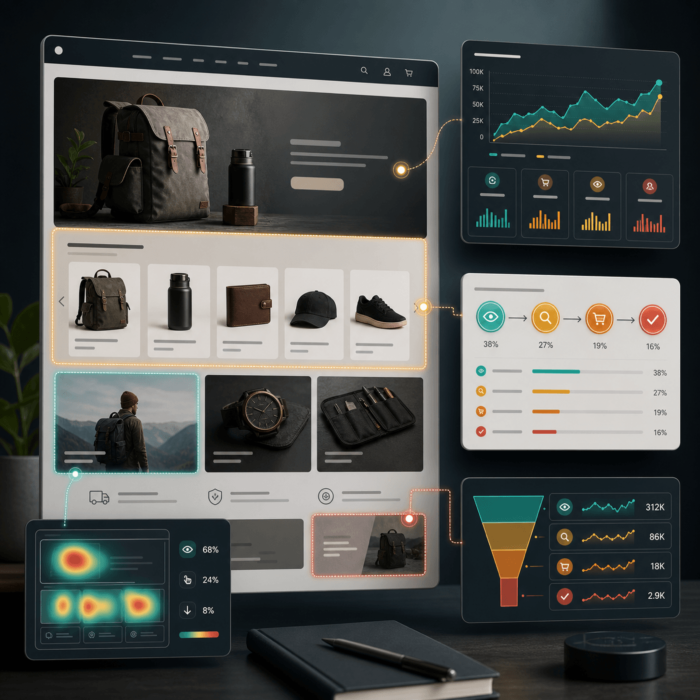
Kowal Analytics answers exactly these questions. It is a module for Magento 2 that analyzes the impact of storefront elements on the cart, order, and revenue. Instead of ending the report at the click, the module connects user interactions with the later stage of the purchase journey. This lets you see which areas of the store truly contribute to results.

The scope of information is much broader than in simple click tracking. Among other things, the module shows:

  • which area generate revenue and orders,
  • which specific objects in those areas sell best,
  • which source pages successful journeys begin on,
  • which SKU are ultimately purchased after clicking a specific element,
  • what impact related, upsell, cross-sell sections, category listings, and search results have,
  • the real contribution blog posts, content widgets, and promotional sections make to sales,
  • what results look like in models such as first click, last click, assisted, and view through.

This means the module delivers value not only to the store owner, but also to the entire operations team. Merchandising can see which recommendations truly sell. Marketing can assess whether content commerce brings in orders rather than just page views. UX and the e-commerce manager get arguments for changes in layout, section order, and product exposure.

Another major advantage is flexibility. Kowal Analytics supports native Magento areas, but also allows you to measure your store's custom sections. You can analyze not only standard product blocks, but also banners, widgets, blog listings, CMS sections, and custom promotional boxes. This matters because in a modern store, sales do not happen exclusively on PDP and in the cart.

Put simply, Kowal Analytics turns store elements into measurable sources of revenue. This makes it easier to remove what does not work, strengthen what sells, and stop making decisions based solely on intuition. For stores that want to develop merchandising and content in a deliberate way, this is the difference between something gets clicks and this really earns money.

Questions and Answers

Question
Does this module measure anything beyond clicks?
Answer
Yes. This is one of its main advantages. The module connects frontend interactions with the later purchase path: adding to cart, order, and revenue. From a UX perspective, this is important because a click alone is often a weak or even misleading signal. An element may have a high CTR and at the same time not support a purchase. Here, you can assess whether a given component actually helps the user reach a valuable outcome.
Question
Can this be used to assess the effectiveness of a specific interface component?
Answer
Yes. The module operates on the concepts of `area` and `object`. `Area` is a section of the interface, for example `related_products`, a category listing, or a CMS section. `Object` is a specific element within that section, for example a single product, a blog post, or a banner. This makes it possible to analyze not only 'whether the block works,' but also 'which exact element in that block works'.
Question
Is this a UX optimization tool, or rather a sales analytics tool?
Answer
Both, but with a different emphasis than classic UX tools. The module does not replace qualitative research, usability testing, or tools for analyzing user frustration. However, it provides a very strong quantitative layer for UX-commerce: it shows which interface elements support the purchase decision, and which only generate attention or distract.
Question
How can you tell an 'attractive' component from a 'sales-useful' component?
Answer
Precisely by whether its impact ends at an impression and a click, or whether it goes further to the cart and the order. For a UX expert, this is important because many elements look good in an interface review, but do not help the user make a decision. This module helps separate eye-catching components from components that actually support the shopping task.
Question
Does the module help assess information architecture and navigation context?
Answer
Indirectly, yes. If the report shows the relationship `source page -> clicked object -> purchased SKU`, you can see which source pages actually lead the user to relevant decisions. This provides signals about the quality of the context: whether a given PDP supports exploration well, whether the listing directs to the right products, and whether the content helps explain the offering.
Question
Can this be used as a basis for making decisions about removing or moving components?
Answer
Yes, but use good judgment. The module provides good support for decisions such as:- what is worth keeping high on the page,- what is worth limiting,- which sections are functionally only visual,- which components support cross-sell and product discovery,- which elements take up space without real value.However, such decisions should not be made solely on the basis of a single metric. It is best to compare the module’s results with data on devices, page types, seasonality, and layout changes.
Question
Is the data from the module granular enough to support a redesign?
Answer
In many cases, yes, especially when redesigning recommendation sections, listings, content commerce, and promotional zones. Granularity at the `area`, `object`, source page, and purchased SKU level provides much better input for decision-making than general page metrics. It is still not a complete picture of user motivation, but it is a very strong evidence layer for prioritizing changes.
Question
Can the module harm the user experience through additional JavaScript?
Answer
With proper implementation, it should not cause significant harm, but this needs to be verified rather than assumed. The tracker runs lightly: it uses batching, `IntersectionObserver`, and `sendBeacon` instead of aggressive polling. Even so, a UX expert should check the impact after implementation on:- Core Web Vitals,- interaction responsiveness,- render time of sections with a large number of elements,- behavior on mobile devices,- compatibility with the existing theme and custom frontend.
Question
Does this module change the DOM in a way that could disrupt semantics or accessibility?
Answer
In typical use, it mainly adds `data-kowal-track-*` attributes to existing elements or applies tracking definitions to sections that have already been rendered. This usually does not change the HTML semantics or content structure. Even so, with custom components it's worth checking whether the implementation does not interfere with focus flow, clickable areas, link semantics, and compliance with your own accessibility patterns.
Question
Can it be used to measure custom components designed by the UX/UI team?
Answer
Yes. This is a significant advantage of the module. In addition to native integrations, you can define custom `area`s, including for sections based on selectors. This means you can measure custom promotional boxes, educational sections, content widgets, experimental merchandising modules, or custom components on the homepage and PDP.
Question
Is the module suitable for validating UX hypotheses?
Answer
Yes, especially for hypotheses such as:- 'this section helps the user discover more relevant products',- 'this block increases the chance of moving to a complementary product',- 'this content not only educates, but also supports the purchase',- 'this change in the page hierarchy improves the quality of the path to purchase'.It works best when the hypothesis is specific and concerns the component's impact on purchasing behavior, rather than just on general attention.
Products