Free cookie consent management tool by TermsFeedAktualizacja preferencji plików cookie

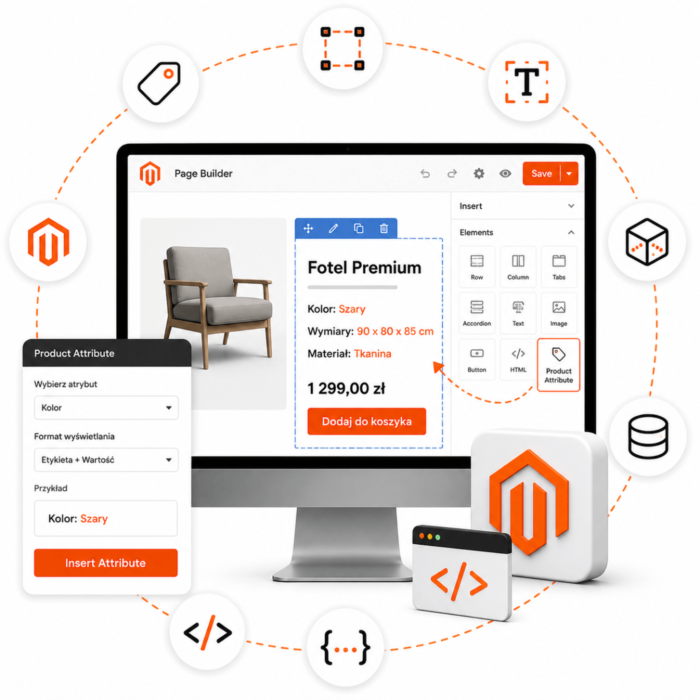
Magento Module for Inserting Product Attribute into Page Builder Template

€14.02 €11.40
COMPOSER Installation
INSERT-PROD-ATTR
PayPal PayPal
Przelew Przelew

Magento Modules: Clear Guidelines

You purchase the module once, with no domain restrictions

Tooltip

Free installation and updates via Composer

Tooltip

Affiliate Program

Tooltip

Technical support for Magento

Tooltip

Clear guidelines for licensing Magento modules

Tooltip

Magento Module Code Security

Tooltip

Questions and Answers

Question
Does the module allow you to insert the value of any product attribute (e.g., “material,” “size,” “brand”) directly in the Page Builder template?
Answer
Yes — the module allows you to dynamically place the value of a selected product attribute in Page Builder content (e.g., in the product page or landing page editor), which increases content flexibility.

Question
Can I drag a block in Page Builder and specify which product attribute should be displayed in it?
Answer
Yes — after installing the module, a new block/element type appears in Page Builder, or extended fields are added that allow you to select the attribute code and assign it to a place in the content.
Question
Is there a configuration that allows you to specify default text or a value when an attribute is empty?
Answer
Yes — in the module settings, you can specify fallback text or hide the element if the product attribute has no value.
Question
Does the module also work for different store views (multi-store) and different languages?
Answer
Yes — because the module operates on standard product attributes and integrates with Page Builder in Magento 2, it supports environments with multiple store views/languages.
Question
Does installing the module require modifying Magento core files or theme files?
Answer
No — the module works as a Magento 2 extension and integrates with Page Builder without overwriting core files, making future updates easier.
Question
Can I use an attribute value in SEO or marketing content (e.g., “Material: X”) in a Page Builder block without having to manually edit each product?
Answer
Yes — the module automatically retrieves the attribute value for the current product and displays it in the Page Builder block content, saving time and eliminating the need to enter it manually for each product.
Question
Does this negatively affect the store’s performance?
Answer
Usually not — displaying an attribute value is a lightweight read of product data. However, as always with Page Builder and a larger number of blocks, performance should be checked in a test environment.
Question
Can I customize the display style of the attribute value (color, font, layout) in the Page Builder block?
Answer
Yes — although the basic configuration lets you insert the value, the layout/block can be customized in the theme or with CSS so that the style matches the store’s design.
Question
Does the module support / work with Page Builder available by default in Magento 2 (Commerce) or as an add-on in the Community version?
Answer
Yes — the module is intended for Magento 2 with Page Builder functionality; before installation, it is worth checking whether your Magento version has or supports Page Builder. (Source: module listing)
Question
Do I receive technical support and updates after purchasing the module?
Answer
Yes — the manufacturer states that support and updates are provided for the modules available in the store.
Write Your Own Review
You're reviewing:Magento Module for Inserting Product Attribute into Page Builder Template
Your Rating

Reviews

Write Your Own Review
You're reviewing:Magento Module for Inserting Product Attribute into Page Builder Template
Your Rating
Products