
 WhatsApp
 +48608012047
Quantity Boost dla Magento 2
€25.00 €25.00
 Polnisch
  English
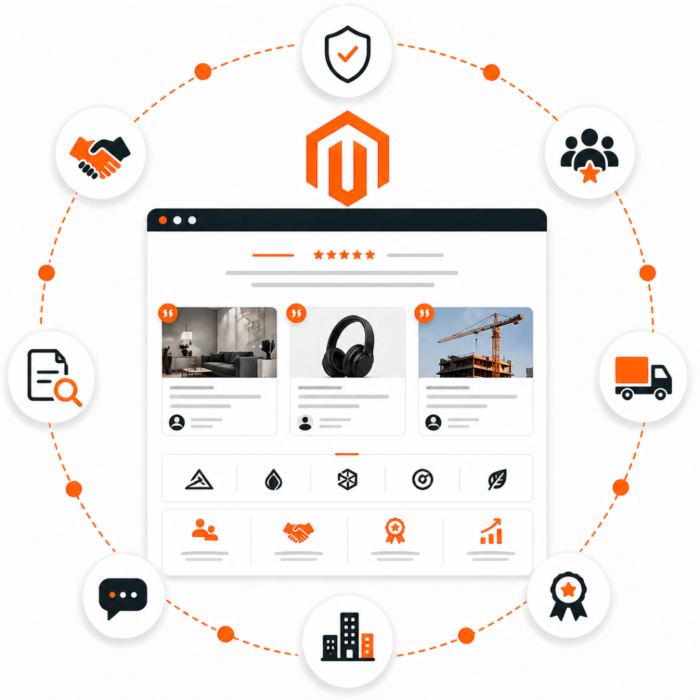
 Kowal TrustedUs is a Magento 2 module that helps store owners showcase brand credibility by presenting companies, projects, suppliers, partners, or customers.
The module can be used as a 'Trusted Us', 'We Work With', 'Our Suppliers', 'Partners', 'Case Studies', or 'Used in Projects' section. This allows the store to easily show who it works with, where its products are used, or which projects confirm the company’s experience.
It is a solution for stores that want to build trust before purchase, shorten the customer’s path to a decision, and make better use of their existing projects in sales.
The module works well for Magento 2 stores that want to:
A customer visiting a store often wants to know whether a company can be trusted. Product descriptions alone are not always enough. The module lets you show proof: well-known brands, partners, suppliers, projects, or specific implementations.
As a result, the store can:
The administrator can add and edit entries directly from the Magento admin panel. Each entry can include:
In practice, this means the store has one place to manage logos, partners, suppliers, and project examples.
The module allows you to assign a company, project, or case study to one or multiple products. This makes it possible to show exactly the examples related to a given product on the product page.
Example: a restaurant equipment store can show restaurants or hotels that use a specific device. A B2B store can show the industries, customers, or implementations where the product has been used.
If a product has assigned entries, the module can automatically display a section with usage examples on its product page. The section can include a logo, company name, project name, description, and link.
This helps turn the product page into a stronger sales asset. The customer sees not only the product features but also examples of how it is used in the real world.
The module adds a CMS widget that can be placed on the home page, category page, landing page, manufacturer page, or any informational page.
The widget can display company logos in a clear grid layout. The administrator can set the section title, the limit of displayed entries, and decide whether to show project names.
The second widget is used for a stronger presentation of the most important brands, customers, partners, or suppliers. It shows only entries marked as featured.
It can be used on the home page or a landing page, where a quick trust effect and exposure of the best references matter.
The module supports content dependent on the store view. The project name and short description can be different for different store views, which is useful in multilingual stores.
On product pages, the module can add structured data describing related case studies. This organizes information about the product and its applications in a format that search engines can understand.
The store can show logos of customers who bought products, used services, or worked with the brand. This type of section works well on the home page because it immediately signals to the customer that the company has experience and real clients.
Example: a B2B store presents logos of companies that regularly order products wholesale.
The module can be used to show business partners, integrators, manufacturers, or brands the store cooperates with.
Example: an electronics store presents official distributors and brands it works with on an ongoing basis.
In stores where product origin matters, the module can serve as a supplier list. The customer sees where the products come from and can more easily assess the credibility of the offer.
Example: a store with food, cosmetics, or premium products presents verified manufacturers and suppliers.
Specific implementations or projects can be assigned to a product. A customer viewing the product can see in which companies, industries, or situations it has been used.
Example: a store selling technical solutions shows projects on the product page where a given component was used.
The module can serve as a simple project database. The administrator adds a project, customer logo, short description, and assigns it to the appropriate products.
Example: a company selling products for architects or contractors shows investments where its assortment was used.
On an advertising campaign page, the featured companies widget can be used to quickly show the strongest references related to the promoted offer.
Example: a landing page for an industrial product category presents selected companies from the same industry that already use the store’s offer.
The module includes:
Kowal TrustedUs is a module for Magento 2 stores that want to showcase trust, cooperation, and real-world applications of their products. It works as a logo section, partner list, supplier presentation, project portfolio, and case studies assigned to specific products.
The module helps the store owner turn existing business relationships and completed projects into a visible sales argument.
Kowal TrustedUs is a universal Magento 2 module for presenting companies, customers, partners, suppliers, brands, and case studies in the store.
The module can be used as:
After the latest expansion, widgets can lead to internal case study pages, for example:
/trusted-us/vitcasSuch a page displays entries from the same group and the products assigned to them.
Before installation, make sure the store meets the requirements:
bin/magento commands,In the Magento root directory, run:
composer config repositories.kowal.trusted.us vcs https://github.com/kowalco/trusted-usIf the repository is private, add a GitHub token:
composer config --global --auth github-oauth.github.com composer require kowal/module-trustedusMagento module name:
Kowal_TrustedUsEnable the module:
php bin/magento module:enable Kowal_TrustedUsphp bin/magento setup:upgradeThis command will create or update the module tables, including the group_slug field used for internal case study pages.
php bin/magento cache:flushIn a production environment, the standard Magento deployment process is recommended.
Example sequence:
composer require kowal/module-trustedusphp bin/magento module:enable Kowal_TrustedUsphp bin/magento setup:upgrade --keep-generatedphp bin/magento setup:di:compilephp bin/magento setup:static-content:deploy -fphp bin/magento cache:flushIf the store has its own CI/CD pipeline, the steps above should be adjusted to the store’s deployment process.
If the module is already installed, update it via Composer:
composer update kowal/module-trustedusThen run:
php bin/magento setup:upgradephp bin/magento cache:flushIn production mode:
php bin/magento setup:upgrade --keep-generatedphp bin/magento setup:di:compilephp bin/magento setup:static-content:deploy -fphp bin/magento cache:flushAfter installation, go in the Magento panel to:
Content -> Zaufali nam -> FirmyDepending on the menu configuration, the entry may also be available in the section:
Trusted Us -> FirmyWhen adding a new entry, fill in the basic data:
The Case study group / URL slug field is used to combine several entries from the same company on one internal page.
Example:
vitcasAll active entries with the same slug will be visible on the page:
/trusted-us/vitcasIf you enter a value with spaces or uppercase letters, the module will save it as a safe slug.
Example:
Tandem Baitswill be saved as:
tandem-baitsIn the Related products / modules section, select the products that should be assigned to a given company, project, or case study.
These relations are used in two places:
/trusted-us/{slug}, where products are presented in a grid similar to a product category.When editing a CMS page, home page, landing page, or CMS block, add the widget:
Kowal: Zaufali namAvailable parameters:
If the entry has the group_slug field filled in, clicking the logo leads to the internal page:
/trusted-us/{slug}If group_slug is empty, the entry remains without a link.
When editing CMS content, add the widget:
Kowal: Zaufali nam - wyróżnione firmyAvailable parameters:
The widget shows only active entries that have the following option selected:
Pokaż w widgecie wyróżnionych firmJust like the standard widget, it can link to internal case study pages based on the group_slug field.
If a product has assigned companies or case studies, the module can automatically show a section on the product page.
The section presents:
This makes it possible to show real product usage and strengthen the credibility of the offer.
Case study pages are available at:
/trusted-us/{slug}Example:
/trusted-us/vitcasThe page displays:
group_slug,These pages increase the number of internal links and create an additional path:
widget -> case study -> produktThe module supports store view dependent content for the fields:
Global fields, such as company name, logo, activity status, sorting, related products, and group_slug, are shared for the entire entry.
Logos are saved in the directory:
pub/media/kowal/trustedus/Before deployment, make sure the pub/media directory is properly shared or synchronized between environments if the store runs in a multi-server architecture.
Before deployment:
After deployment:
setup:upgrade,group_slug,/trusted-us/{slug} page,Checking module status:
php bin/magento module:status Kowal_TrustedUsChecking the list of Kowal modules:
php bin/magento module:status | grep KowalClearing cache:
php bin/magento cache:flushRecompiling DI:
php bin/magento setup:di:compileCheck whether the entry has the field filled in:
Grupa case study / slug URLAn element without group_slug is not linked to an internal page.
/trusted-us/{slug} page does not workCheck:
group_slug exists,setup:upgrade has been run,Kowal_TrustedUs module is active.Check:
Clear Magento cache:
php bin/magento cache:flushIn production mode, also run:
php bin/magento setup:di:compilephp bin/magento setup:static-content:deploy -fDisabling the module:
php bin/magento module:disable Kowal_TrustedUsphp bin/magento setup:upgradephp bin/magento cache:flushRemoving the Composer package:
composer remove kowal/module-trustedusBefore removing the module from production, check whether the store uses widgets, CMS blocks, or content dependent on the module.
The expansion of the Kowal TrustedUs module is intended to increase the value of widgets not only as trust-building sections but also as a tool for creating internal links in Magento 2 stores.
Previously, clicking a company logo could lead directly to an external website of a customer, partner, or supplier. After the change, the widget leads to an internal store subpage with a list of case studies related to the given company and products assigned to those projects.
As a result, the module remains universal and can be used as:
A global Case study group / URL slug field (group_slug) has been added to the company record.
The field is used to group multiple entries for the same company, customer, partner, or supplier. It is useful when the same company appears in the module several times, for example for different projects, implementations, or products.
Example:
tandembaitsEntries with the same slug will be shown together on one subpage:
/trusted-us/tandembaitsThe value of the group_slug field is normalized when saving in the admin panel and during inline editing in the grid.
Example:
Tandem Baitswill be saved as:
tandem-baitsThis makes links stable, readable, and safe to use in URLs.
Support has been added for addresses:
/trusted-us/{slug}Such a subpage displays all active entries that have the same group_slug assigned.
The subpage includes:
On the case study page, the module shows products assigned to a specific company entry.
As a result, the user can go through:
widget -> strona case study -> produktInstead of leaving the store after clicking a logo, the customer stays in the store and has an additional path to reach the offer.
Links in widgets have been changed from external company addresses to internal links.
This applies to:
If a company has the group_slug field filled in, clicking the logo leads to the internal subpage:
/trusted-us/{slug}If group_slug is not filled in, the element remains without a link.
Widgets can now link to internal case study pages. This helps better connect informational content, projects, and products within the store.
Company logos are no longer only static proof of trust. They become an entry point to additional content that may interest the customer and lead them further to products.
Clicking a logo no longer immediately takes the user to an external company website. The user stays in the store and can view related projects and products.
The expansion does not limit the module only to store customers. The same mechanism can support:
Added:
group_slug column in the kowal_trustedus_company table,group_slug,/trusted-us/{slug},After clicking a logo from the widget, the user will be taken to an internal case study page with related products.
For Vitcas company entries, you can set:
vitcasAll active entries with this value will be shown at:
/trusted-us/vitcasIf each entry has assigned products, the case study page will become an additional place that leads the user to specific product pages.
After deploying the change, run the Magento schema update and clear cache:
bin/magento setup:upgradebin/magento cache:flushIf the store uses production mode, perform the standard deployment process for the production environment.




















