Magento 2 Module – Payment Icons on the Product Page

€82.96 €67.45
COMPOSER Installation
M2-PAYMENT-ICONS
PayPal PayPal
Przelew Przelew

Magento Modules: Clear Guidelines

You purchase the module once, with no domain restrictions

Tooltip

Free installation and updates via Composer

Tooltip

Affiliate Program

Tooltip

Technical support for Magento

Tooltip

Clear guidelines for licensing Magento modules

Tooltip

Magento Module Code Security

Tooltip

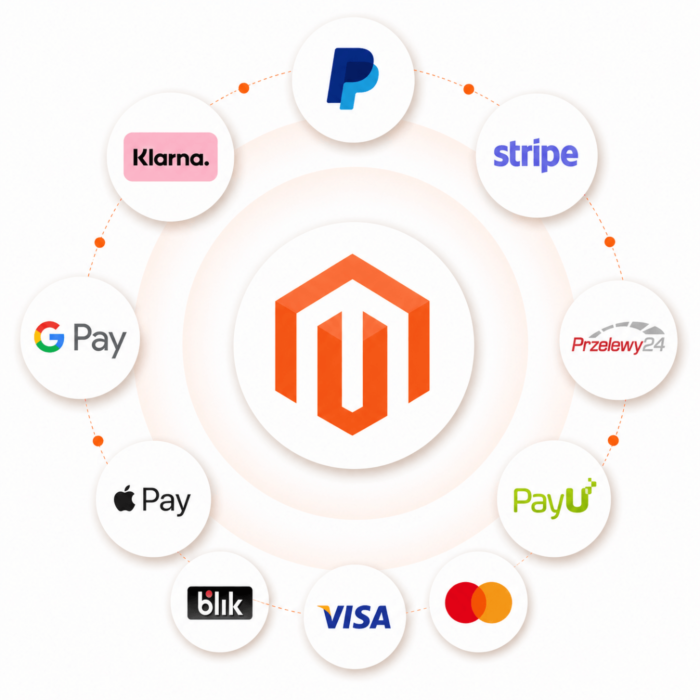
Kowal_Platnosci is a modern Magento 2 module that lets you display available payment methods directly on the product page. With SVG icons and a dynamic popup describing each method, customers receive clear information while browsing your offer.

Benefits of implementing the module:

  • Increased customer trust – displaying available payment options, such as BLIK, eRaty, and PayU, directly on the product page improves the sense of security and store credibility.
  • Better conversion – users are more likely to complete their purchase when they know in advance that they can pay conveniently using methods they recognize.
  • Support for purchase decisions – information about available installment options or deferred payments, such as PayPo and Klarna, has a positive impact on the decision to buy higher-priced products.
  • Full integration with Page Builder – manage payment method descriptions without HTML knowledge – edit the content directly in Magento!
  • Lightweight and fast implementation – SVG files ensure excellent quality without slowing down the page.

How does the module work?

In the product.info.main section on the product page, the module adds a block with payment method icons. Clicking an icon opens an AJAX popup displaying the method description, which can be edited in the admin panel.

Why is it worth it?

Transparency and clarity of payment methods are key elements of online store UX. Our Magento 2 module enables a visual and intuitive presentation of what matters most to customers – how they can pay. In the age of e-commerce, it is one of the most effective ways to increase trust and sales.

Version: 1.0.18

13.04.2026

Added

  • Added payment icon sorting on the frontend based on the sort_order field, with an alphabetical fallback by payment name.
  • Added support for the sort_order field in the form and listing in the admin panel.
  • Added icon preview in the admin grid instead of displaying only the file path.
  • Added clear status labels in the admin grid.
  • Added store code visibility in store view selectors and in the grid.
  • Added the ability to assign one payment icon to multiple store views via the Store Views multiselect.
  • Added a dedicated relation table for assigning payment icons to store views.
  • Added a migration patch that moves existing store_id assignments to the new relation table during the update.

Changed

  • Changed icon loading on the frontend so that it includes both icons assigned to the current store view and global icons assigned to All Store Views.
  • Changed the way store assignments are saved so that selecting All Store Views saves only the 0 value and prevents unnecessary duplication of the same icons per store.
  • Changed the presentation of store views in the admin grid so that one record can show multiple assigned store views.

Notes

  • After deployment, run php bin/magento setup:upgrade to create the store view relation table and migrate existing assignments.
  • After the update, clear the Magento cache to apply the new admin panel configuration and icon loading logic on the storefront.
Implemented in real Magento 2 stores
Vitcas – Product Information Optimization

Vitcas Ltd is an international company operating in the specialized technical products segment, where clear, organized, and reliable presentation of product page information is essential. As part of one consistent ecosystem, we implemented a set of Magento 2 modules that together organize all additional information and visual elements visible to customers.

With the Labels, Product Info, Social Media Icons, Payment Icons, and Shipment Icons modules, the product page in the Vitcas Ltd store gained a clear structure, logical content organization, and a modern visual form. Customers can immediately see key product features, available payment and delivery methods, and additional trust-building information that supports the purchase decision.

The entire solution was designed to avoid overloading the product page with content, while effectively highlighting the most important information through icons, labels, and short messages. The result is better UX, greater offer clarity, and a consistent product presentation standard—especially important in international and technical sales, where information accuracy is essential.

Questions and Answers

Question
Does the module allow displaying icons for available payment methods (e.g., BLIK, PayU, eRaty) directly on the product page?
Answer
Yes — the module adds a block with SVG icons for payment methods on the product page, making it easier for the customer to quickly understand which payment options are available.

Question
Does clicking the payment method icon display an additional description of that method?
Answer
Yes — the module offers an AJAX popup description of each payment method when the icon is clicked.
Question
Does installing the module require modifying Magento core files or my theme?
Answer
No — the module works as a standard extension for Magento 2 and does not require overwriting the system’s core files.
Question
Does the module help increase customer trust and, as a result, the store's conversion rate?
Answer
Yes — thanks to visible payment method icons, the customer immediately sees that familiar/secure payment methods are available, which positively influences the purchasing decision.
Question
Is the module compatible with multiple stores (multi-store) or different store views?
Answer
This is not explicitly stated in the module description — before implementing it in a multi-store environment, it is worth checking with the provider.
Question
Does the module significantly affect the store's performance?
Answer
Only slightly — the module uses lightweight SVG icons and a simple AJAX popup, so the impact on performance is minimal. Nevertheless, testing in a staging environment is always recommended.
Question
Can I choose in the admin panel which payment methods will be shown as icons?
Answer
The description suggests that available payment methods can be displayed, but the configuration details (whether individual methods can be disabled) need to be checked in the module documentation.
Question
Does the module work on Magento 2.4.x versions?
Answer
Yes — due to the extension’s standard approach for Magento 2 and module updates, it was prepared for use in newer versions. (However, it is worth verifying the list of supported versions at the source).
Question
Is it possible to customize the appearance of the icons (colors, size) or their position on the product page?
Answer
Although the module description does not provide detailed style settings, because SVG icons are lightweight and can be styled with CSS, it is likely possible to customize their appearance in the theme.
Question
Do I receive updates and technical support after purchasing the module?
Answer
Yes — the manufacturer states that the module includes free updates.
Write Your Own Review
You're reviewing:Magento 2 Module – Payment Icons on the Product Page
Your Rating
Aktualizacja preferencji plików cookie