Client
tandembaits.com is an online store operating in the fishing industry. The store's offering is based on a specialized product range, in which correct category names, precise descriptions, and well-prepared URLs have a direct impact on store usability, SEO, and communication with customers in different countries.
Challenge
As part of expanding the store with new language versions, the client needed an effective way to manage categories in Magento 2.
The biggest challenge was the specifics of the fishing industry. Category names are not simple, universal labels. They often refer to specific fishing techniques, types of bait, accessories, product lines, or terms used only by advanced anglers.
With 10 language versions, manual category management in the Magento admin panel was too time-consuming and prone to errors. The client needed full control over:
- category names,
- category URLs,
- category descriptions,
- SEO metadata,
- values specific to each store view,
- consistency of the category structure across language versions.
The scope of work covered dozens of categories in 10 language versions. This meant hundreds of text values to prepare, review, correct, and import.
Business problem
Standard work in the Magento admin panel would require editing each category separately for each store view. With dozens of categories and 10 languages, such a process would be slow and difficult to control.
The key risks of manual work were:
- mistakes in selecting the store view,
- inconsistent translations of category names,
- accidental overwriting of default values,
- incorrect or duplicate URLs,
- no convenient overview of all categories in one place,
- difficulty in passing data to translators or people responsible for SEO,
- no simple way to validate changes before saving.
The client needed a process that would make it possible to prepare data in bulk, review it before import, and safely save only selected attributes for a specific store view.
Solution
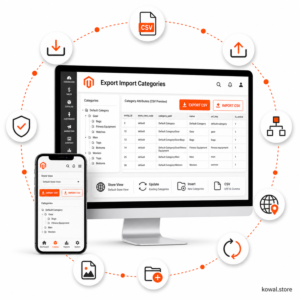
For this scenario, the Export Import Categories module for Magento 2 was used.
The module made it possible to export categories to a CSV file, prepare language data outside the Magento admin panel, and re-import values into the selected store view.
The process was based on update mode because the category structure already existed in the store. The goal was not to create a new category tree, but to complete and correct data for additional language versions.
Module usage scope
The following module features were key in the project:
- exporting categories from the base store view,
- keeping
entity_id as a stable category identifier, - changing
store_view_code to the target language version code, - import in
update mode, - selecting specific attributes for import,
- managing category names,
- managing
url_key, - managing category descriptions,
- control over empty values,
- validating the file before the actual import,
- import report.
Process implemented in the project
1. Category export
First, categories were exported from the base store view. The CSV file contained system columns and selected attributes required to prepare the language versions.
The most important system columns:
store_view_code,entity_id,category_path,parent_path.
The most important working attributes:
name,url_key,description,meta_title,meta_description.
2. Preparing language data
Based on the exported CSV, separate data was prepared for individual language versions.
Thanks to this, content teams could work in a spreadsheet while seeing many categories at the same time. This was especially important in the fishing industry, where category names must match local terminology and the actual way customers search for products.
3. Preserving category identifiers
In the import files, entity_id was preserved so that the module could clearly match CSV rows to existing Magento categories.
This made it possible to import translations without the risk of creating duplicate categories.
4. Changing the store view
For each language version, the appropriate store_view_code was set in the CSV, and the same store view was selected in the import form.
The module validated the consistency of this data. This reduced the risk of accidentally importing translations into the wrong store view.
5. Import in update mode
The import was performed in update mode, selecting only the attributes that were to be changed for the given language version.
Thanks to this, the module did not interfere with the remaining category data.
6. Validation and dry-run
Before the actual import, validation could be run without saving data.
The dry-run mode made it possible to check:
- whether the CSV file had the correct columns,
- whether
store_view_code matched the selected store view, - whether
entity_id pointed to existing categories, - whether the selected attributes existed in Magento,
- whether the import contained errors blocking the save.
7. Post-import report
After import, the module generated a report that made it possible to check the status of individual rows.
The report was especially useful when working across multiple languages, as it made it possible to quickly detect potential errors in a specific file or a specific category.
CSV was a practical format for this project because:
- it can be easily edited in a spreadsheet,
- it can be passed to translators,
- values can be compared across languages,
- multiple language versions can be prepared based on one export,
- you can work on specific columns without manually clicking through the Magento admin panel,
- you can maintain control over
entity_id and store_view_code.
Result
The module enabled the client to manage categories in 10 language versions in an organized and repeatable way.
Instead of manually editing each category in the Magento admin panel, the team could work with CSV files, prepare translations in bulk, and import only selected attributes for a specific store view.
The most important benefits:
- faster preparation of new language versions,
- greater control over category names,
- full control over URLs,
- easier management of category descriptions,
- the ability to work outside the Magento admin panel,
- lower risk of errors with multiple store views,
- data validation before saving,
- reporting of import results.
Importance for SEO
In this project, the ability to control url_key, category names, and descriptions was especially important.
For a store operating in multiple languages, automatic translation or accidental copying of category names is not sufficient. Each market may use different industry terms, and in fishing, terminological differences are especially important.
The module made it possible to deliberately prepare SEO values for each language version:
- local category names,
- local URLs,
- descriptions adapted to the language,
- meta titles,
- meta descriptions.
Summary
Expanding tandembaits.com with 10 language versions required a tool that would make it possible to efficiently manage Magento 2 categories at the store view level.
Export Import Categories solved this problem by moving the work from manual editing in the Magento admin panel to a controlled process based on CSV, validation, and importing selected attributes.
As a result, the client gained the ability to conveniently manage specialized category names, URLs, and descriptions for multiple languages without the risk of accidentally overwriting the entire category structure.


 AI-Powered Cart Recovery Assistant for Magento 2€75.00 €75.00