Case Study: Interactive Product Gallery on the Category Page
Project
Slumbersac is a store specializing in children's sleeping bags, where the product belongs to the apparel category, but the purchase decision is more technical than in classic fashion. A parent chooses not only the pattern and size, but also the sleeping bag construction, TOG rating, season, material, and practical details related to the child's safety and comfort.
The range includes, among others, sleeping bags with legs, classic sleeping bags, seasonal variants in 0.5 TOG, 1.0 TOG, 2.5 TOG, and 3.5 TOG, as well as solutions such as detachable sleeves and fold-over leg cuffs with ABS.
Business context
At Slumbersac, the product needs to be explained visually. A parent wants to quickly understand how a specific model differs: whether it has legs, whether the sleeves are detachable, what temperature range it covers, and whether it is suitable for summer, winter, or year-round use.
The site features product and trust messages, including detachable sleeves, fold-over leg cuffs with ABS, a Google rating of 4.8, fast shipping, and messaging about the most frequently chosen sleeping bag. This shows that the store combines emotional presentation of patterns with very practical arguments.
Challenge
In a children's sleeping bag store, the product list must handle several types of information at the same time:
- product pattern and color,
- type of construction,
- TOG categories,
- seasonality,
- functional details, e.g. sleeves, legs, zipper, material,
- trust and a sense of safety.
One image on the listing may show the print, but it does not always explain the construction. For a parent, it is important to quickly distinguish a classic sleeping bag from a sleeping bag with legs or a variant with detachable sleeves.
The second challenge is mobile. Shopping for children's products often takes place on a phone, so the interaction must feel natural: page scrolling cannot be blocked, and moving to the next image should be simple.
Solution
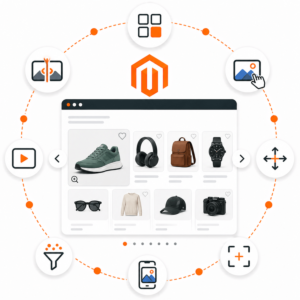
For Slumbersac, it is valuable to extend the product listing with a quick preview of the next product image. On hover or swipe on mobile, the user can see an additional shot that shows the sleeping bag construction or a practical detail.
Key assumptions:
- the initial category load remains lightweight,
- the second image is prepared in advance for visible products,
- additional products loaded during scrolling are also included in the prefetch mechanism,
- on mobile, a horizontal gesture is used for the gallery, while vertical movement still scrolls the page,
- the store can indicate a dedicated hover image, e.g. a shot showing detachable sleeves or legs.
The role of the hover image attribute
In such a store, a dedicated image attribute, e.g. on_hover, is especially useful. Thanks to it, the store team can decide for themselves which image best explains the product on the listing.
Examples of use:
- first image: an attractive sleeping bag pattern,
- hover image: a photo with the legs extended,
- hover image: showing detachable sleeves,
- hover image: a material or zipper detail,
- hover image: a shot showing the shape of the sleeping bag on a child.
This is important because the automatic second image from the gallery is not always the best sales image. In the case of technical-apparel products, it is better to give the merchandiser control over what the customer sees as the first interaction.
Effect for the user
A parent can more quickly assess whether the product meets a specific need: a warmer sleeping bag for winter, a lightweight year-round model, a sleeping bag with legs for a child who walks, or a model with detachable sleeves.
Benefits:
- faster recognition of the product construction,
- fewer visits to product pages just to check a detail,
- better comparison of TOG models and sleeping bag types,
- a more understandable listing on mobile,
- the ability for the store team to control the first hover image.
Why it fits Slumbersac
Slumbersac sells products that are simultaneously clothing, a sleep accessory, and a functional product for a child. The pattern aesthetics are important, but the parent pays just as much attention to practical solutions.
The hover/swipe gallery helps show:
- the differences between a classic sleeping bag and a sleeping bag with legs,
- detachable sleeves,
- fold-over leg cuffs with ABS,
- seasonality and TOG categories,
- patterns and collections in a more engaging way.
Recommended development directions
- use of the
on_hoverattribute to indicate the best functional image, - separate rules for categories: sleeping bags with legs, sleeping bags, organic cotton,
- a test of whether a construction-focused hover image increases product visits,
- analysis of mobile behavior: swipe versus clicking into the product page,
- adding shorter product messages next to TOG filters.
Summary
Slumbersac is an example of an apparel store where the product image must explain the function, not just the look. A well-chosen second image on the listing can show the detail that determines the purchase: legs, sleeves, material, or the shape of the sleeping bag. The hover/swipe mechanism and the dedicated on_hover image give the store greater control over how quickly the customer understands the product.