
Magento 2 Outlet Module - Sales Automation
 PayPal
 Przelew
YOU CAN TRUST US
25 years of experience in e-commerce and Magento 2
Fast delivery
Efficient implementation process
Simple and transparent complaint process
Working with clients worldwide
Free module updates
Payment by bank transfer
Automatic Management of Outlet Products
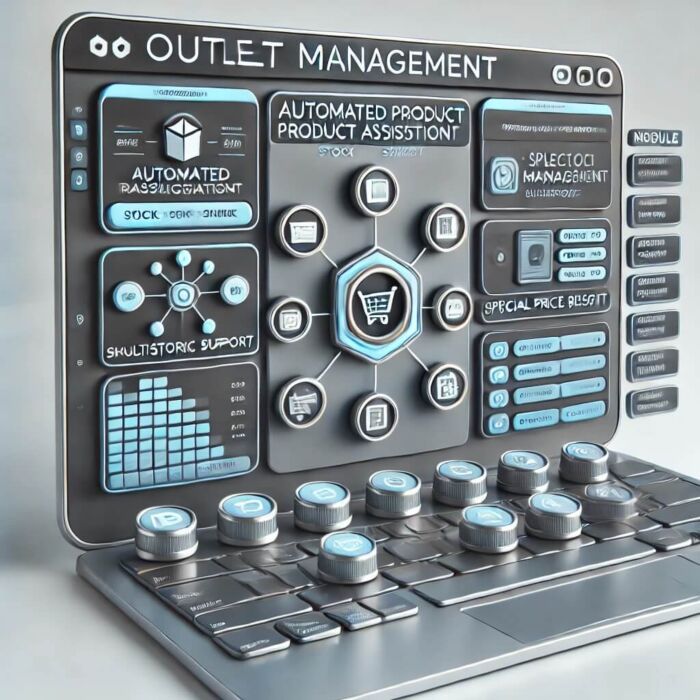
The Outlet for Magento 2 module is the perfect solution for online stores that regularly organize sales and want to efficiently manage outlet products. By automating processes, you will save time and eliminate errors associated with manual product updates.
Main Features of the Module
- Mass Import of Outlet Products – adding products to the outlet using an SKU list.
- Automatic Assignment to Outlet Categories – products are placed in selected categories without the need for manual editing.
- Removing Products from the Outlet After Selling Out – if a product reaches a stock of 0, it is automatically removed from outlet categories.
- Resetting Special Prices – prevents a sold-out product from still displaying a promotional price.
- Optional Management of Inventory – ability to automatically set the product as 'not managed' after it sells out.
- Multistore Support – configuration for different stores in Magento.
Why Choose Us?
Our solution offers full automation of sales management, minimizing errors, and optimizing logistical processes. The module allows for dynamic updating of outlet products and provides convenient management of promotional offers in your Magento 2 store.
Contact Us
Have questions? Contact us to learn more about the capabilities of the Outlet for Magento 2 module!
Installation and Configuration Guide for the Outlet Module for Magento 2
1. Module Installation
To install the Outlet for Magento 2 module, follow these steps:
cd /path/to/magento2/root composer config repositories.module.outlet.products vcs https://github.com/kowalco/magento-2-outlet-products composer config --auth github-oauth.github.com/module.outlet.productsCOMPOSER_AUTH='{'github-oauth': {'github.com/module.outlet.products ': ' '}}' composer require kowal/module-outletproducts php bin/magento module:enable Kowal_OutletProducts php bin/magento setup:upgrade php bin/magento setup:di:compile php bin/magento cache:flush
After executing the above commands, the module will be activated in your Magento 2.
2. Module Configuration
After installing the module, go to the Magento admin panel:
- Go to Stores > Configuration.
- Select the Outlet Products tab.
- Enable the module by setting the Enable option to 'Yes'.
- Select outlet categories in the Outlet Category IDs field.
- Set additional options such as Removing Special Prices and Disabling Inventory Management.
- Click Save Configuration.
3. Module Operation
Adding Products to the Outlet
To add products to the outlet:
- Go to System > Import Outlet.
- Enter the SKU list in the text field.
- Choose the inventory management option.
- Click Import to add products to the outlet.
Automatic Management of Outlet Products
The module automatically:
- Adds products to outlet categories.
- Removes products from the outlet after they sell out.
- Resets the special price for sold-out products.
- Optionally disables inventory management for sold-out products.
These processes are automatically executed via CRON.
4. Checking Module Operation
To check the module's operation, you can manually run CRON:
php bin/magento cron:run --group default
Module logs are located in the var/log/system.log directory.
5. Frequently Asked Questions
Why aren't products being removed from the outlet after selling out?
Ensure that CRON jobs are properly configured and running on your server.
Can I set different outlet categories for different stores?
Yes, the module supports multistore and allows for individual configuration for each store.
6. Contact and Support
Have questions or need help? Contact us:
-
 €85.55 €69.55Payment and Shipping Restrictions for Magento 2
 -
 €22.03 €17.91Mail Server MX400
 -
 €19.74 €16.05Shipping Restriction Module for Magento 2
 -
 €28.33 €23.03Kowal Announcement Bar module for Magento
 -
 €14.02 €11.40Magento 2 – Applied Rule IDs Column in Orders
 -
 €28.33 €23.03Promotional Popup Module for Magento 2


-
 Magento 2 Template Optimized for SEO + Free Modules
From €285.82 €232.37
To €969.88 €788.52