
Magento freezes because you’re trying to be efficient…
Imagine this situation:
You’ve been running a Magento 2 store for several years. You have thousands of products that have long been unavailable from suppliers or have stopped selling. You decide to clean things up and select hundreds of items in the admin panel to delete them. Click… and you wait.
504 Gateway Timeout
“The request could not be processed…”
Sound familiar?
Why can’t Magento 2 handle this?
Magento 2 is a powerful platform, but deleting products is one of its weaknesses. When deleting each product, the system has to:
- remove related data (e.g., attributes, relations, images),
- clear indexes and cache,
- update logs and dependencies.
If you try to do this simultaneously for 200 or 1000 products, Magento simply can’t keep up. Especially on servers with limited resources.
Solution: the Kowal Delete Products via Queue module
Instead of trying to delete everything at once, you can do it in the background — step by step, without blocking the admin panel or risking errors. This is how the Kowal Delete Products via Queue module works.
What exactly does the module do?
- Adds a new button to the product list: “Delete in background”
- Each selected product is added to the queue
- Products are processed automatically, with load limits
- It also supports deleting images associated with the product
What does it look like in the admin panel?
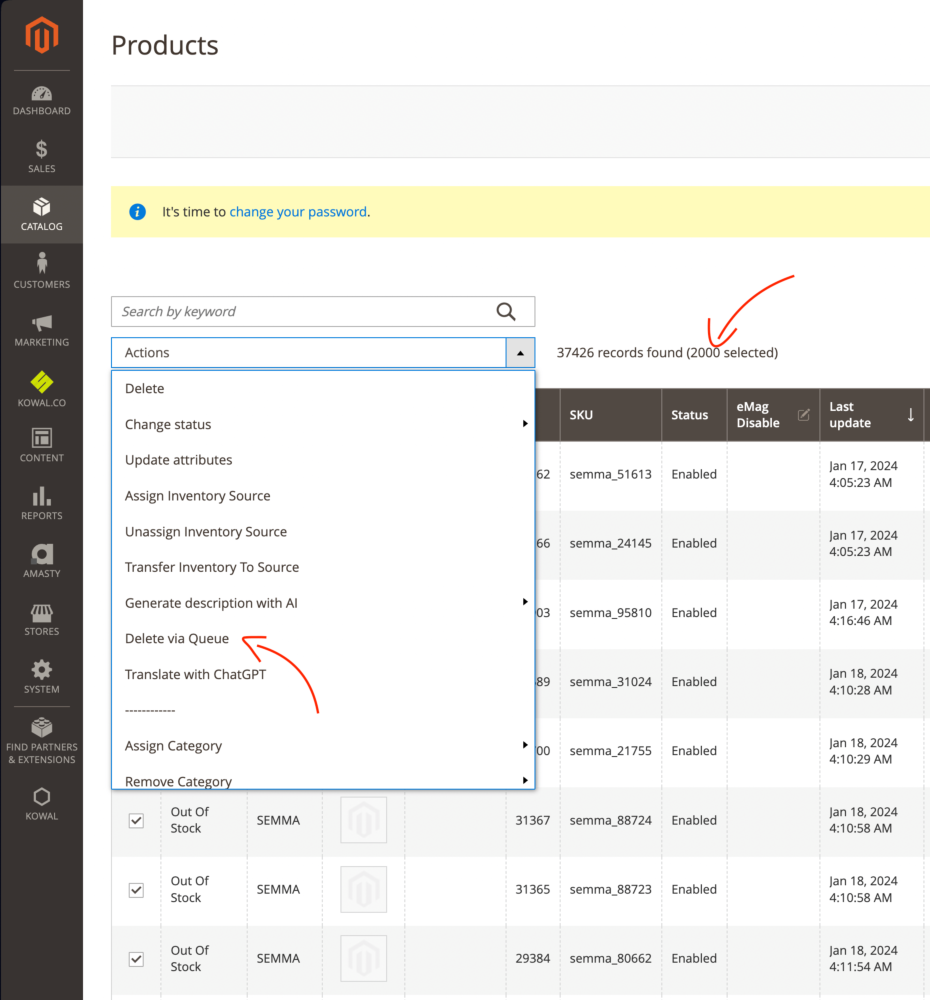
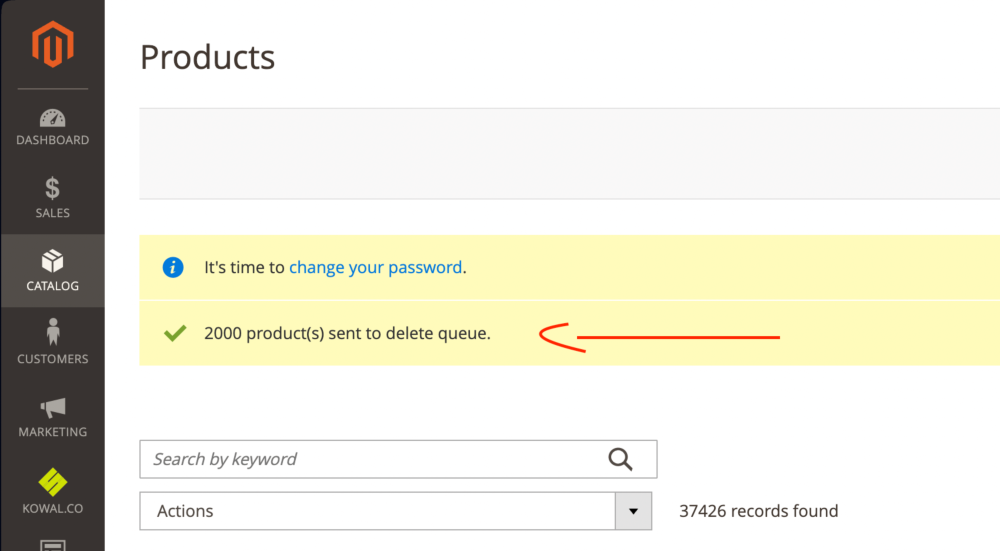
Comparison: with the module vs. without the module
| Feature / Problem | Without the module | With the DeleteProductsQueue module |
|---|---|---|
| Deleting 1000+ products | Often ends in an error | Runs in the background, without errors |
| Server load | High | Low, spread over time |
| Technical knowledge required | Yes | No |
| Image handling | Manual | Automatic |
| Ability to work in parallel | No | Yes — you can keep working |
Who is this module for?
This module will be useful if:
- you run a large Magento store with many seasonal products,
- you have integrations with wholesalers and often delete unavailable products,
- you want to keep your database organized,
- you do not have SSH access or technical knowledge.
How to install the module?
composer require kowal/module-deleteproductsqueuephp bin/magento module:enable Kowal_DeleteProductsQueuephp bin/magento setup:upgrade Detailed installation guide: [See the guide →]
Summary
If you want to clean up your Magento 2 store and delete unnecessary products without stress or errors, choose a solution that will do it for you — in the background and without freezing the system.